DOCX Repair Tool
The All-In-One Application to Recover Word Documents!
Are you using earliest version of MS Word through which you have created number of DOCX files and due to some technical issue on your computer system you are not able to access some DOCX files?
To cut down the problem for this case, DOCX Repair tool is the only solution that can help you out for complete Word file recovery without losing or destructing properties of extract .docx files. To recover or eliminate issues from Microsoft Word files, our software has multiple facilities and it does not bother users via provision of inappropriate results.



Word Document Recovery is a relevant program that enables you to creat and share documents with its writing tools. DOC file is a file extension created in Microsoft Word 97, 2000, 2002, 2003, 2007, 2010, 2013, 2016 and 2019. The file formats of Word file varies with different editions of Microsoft Word. In 2007/2010, Microsoft Word .doc files became .docx files. The open XML standard got introduced in Office 2007 and it changed default format of Microsoft Word to .docx instead of the .doc format. Microsoft Word 2010/2007 and later versions of MS Word 2013 have DOCX file format.

- MS Word 2019/2016/2013/2010/2007 document repair tool is packed with unfailing and sophisticated algorithms so that users will not get corrupt .docx files after winding up process to repair Microsoft Word file.
- To recover corrupt .docx/.doc 2013 files, this software is packed with non-complicated and easy to understand steps so .docx recovery is really easy with our brilliant application to repair corrupt DOCX file.
- The main concern of Microsoft Word users is the recovery of corrupt MS Word 2013 files in bulk amount and it is possible with this DOCX Repair tool.
- Investment of minimal time to eliminate corruption causes from highly corrupted Word files is also from most desirable abilities and it is also availed with our Word file reader tool.
- Facility to support all the versions of Windows OS that further helps to perform Document Recovery on the existing operating system.
- Apart from other facilities, conversion from repaired .docx files to HTML, RTF, or TXT is also packed in our DOCX repair software.
Repair Corrupt DOCX File!
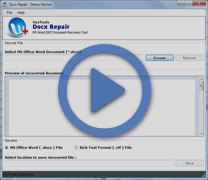
If you want to learn and understand entire procedure for Word data recovery then, you can download the free demo version of DOCX Repair tool to retrieve .docx files in a healthy condition. The trial version can be downloaded without any cost but, has limitations like it only provides the preview of the recovered information of the .docx file on the computer screen.
Buy DOCX File Repair Licensed Version!
It is recommended to upgrade to the licensed version of DOCX repair tool to save the repaired Word files into different file formats including TXT, HTML, or RTF accordingly, after winding up Word recovery process.

When the Word .docx file got error message like unable to read Word document files, try DOC Repair Software to recover damaged .docx file..
Word File Recovery software is the more sophisticated repair application to recover and retreive .docx file from corrupted and damaged Word DOCX file in an easy and hassle-free way...
 "The moment I had started facing corruption in my Word files on a regular interval, I knew I had to take a step. Then someone suggested this DOCX Repair tool for performing successful Word recovery and I am glad that the program worked exactly the same way."
– From Tirmen
 "I would like to convey a huge thanks to the developers and the support department that helped me to get this Word Recovery software. This application has absolutely changed the way I had been working; now I can easily work with .docx files without worrying about the corruption."
– From Ronald