Resolve Error "This File Is Not In A Recognizable Format"
Microsoft Word is globally-acclaimed as one of the finest text-editor that helps in documentation like designing templates (web pages, letters, memos, brochures etc). Its advanced features like macros creation, document mapping, reliable spell checker, ability to export or import Word file format to/from other file formats and much more made it the real choice of users. What if while in attempt to open Word 2010 document, you encounter an error stating "This file is not in a recognizable format" or the file has junk characters or the layout of DOCX file is incorrect? This indicates that the DOCX file you are trying to open is corrupt and needed an eminent DOCX file recovery tool.
MS Word 2010 Recovery Software
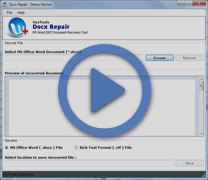
Corruption in Word file can happen due to any reason and can vary from virus attack, file tripping, macro corruption to file header corruption. Our DOCX Recovery software is built up with fail-resistant techniques that enable users to work around Word corruption issues like error "This file is not in a recognizable format". For user convenience, the software is framed up with simple to understand interface that helps to execute Word file recovery process without any flaws. Affordability factor is being added to the software solution by catering it in three different licenses that differ on their working for number of computer systems.
Key Features: Tool To Repair Corrupt DOCX File
- The software after recovery of damaged DOCX file facilitates users to save the resultant in two different file formats: RTF and DOCX file format.
- The software is capable to fix corruption error messages like "This file is not in a recognizable format" with efficiency.
- The software is available with free trial edition that enable users to evaluate the potential of the solution prior purchase.
Download Demo - Repair Damage Word File Tool
Software Version: 3.5
OS Version : Win 2000/XP/2003/Vista and Win7
File Size: 1.7 MB
Free Download Docx Recovery Software Demo version to preview the content of file.
To save recovered docx file Purchase FULL Version of Docx Repair.